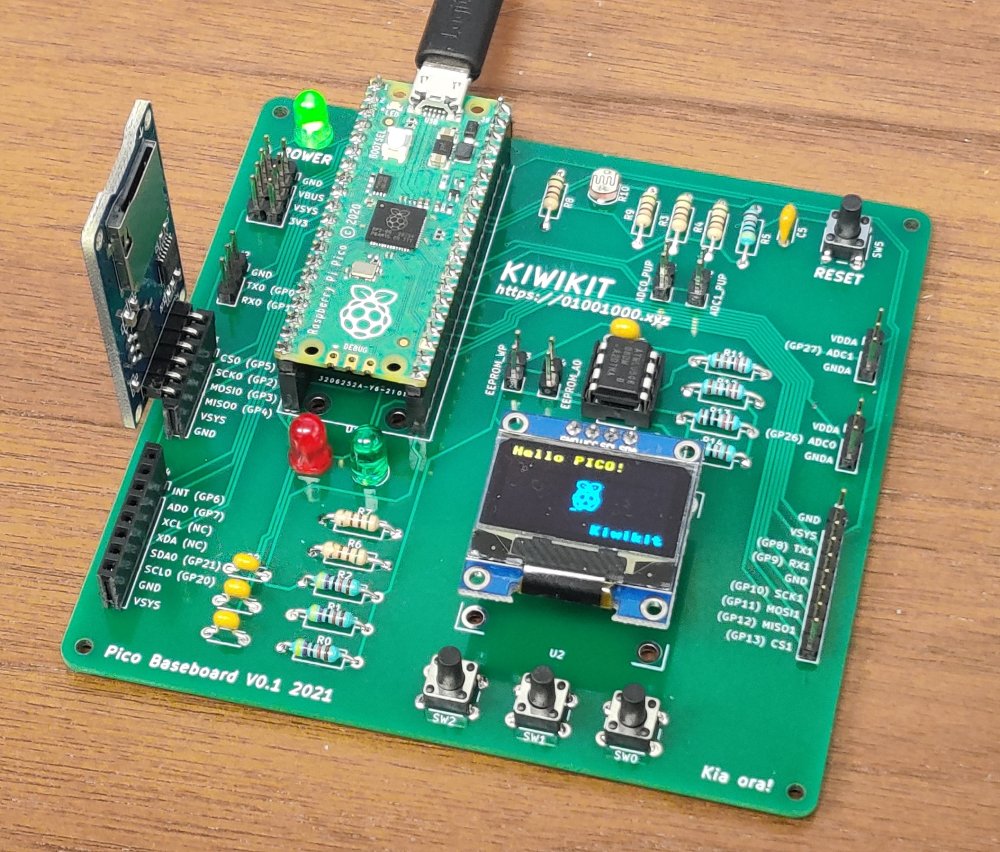
As a software developer, I've always been fascinated by the intersection of code and hardware. Recently, I decided to dive deeper into the world of electronics and microcontrollers, and it's been an incredibly rewarding journey.
Why Microcontrollers?
Coming from a web development background, working with microcontrollers felt like a natural extension of my programming skills. The ability to write code that directly interacts with physical components opened up a whole new realm of possibilities.
Starting with Raspberry Pi Pico
My first foray into microcontrollers was with the Raspberry Pi Pico. What drew me to it was:
- Affordability: At around $4, it's incredibly accessible
- Python Support: Being able to use MicroPython made the transition smooth
- GPIO Pins: 26 GPIO pins provide plenty of room for experimentation
- Community: Extensive documentation and a vibrant community
I started with simple projects like blinking LEDs and reading sensor data, gradually working up to more complex projects involving displays and motor control.
Exploring Arduino
Next, I explored the Arduino ecosystem. Arduino's strength lies in:
- Beginner-Friendly: The Arduino IDE and extensive libraries make it easy to get started
- Huge Ecosystem: Thousands of shields and modules available
- C/C++ Programming: A great way to learn lower-level programming concepts
- Real-Time Applications: Perfect for projects requiring precise timing
I built several projects including a temperature monitoring system and a simple robot that could follow a line.
Discovering Seeed Studio XIAO
The Seeed Studio XIAO series caught my attention because of its compact size and powerful features:
- Tiny Form Factor: Perfect for wearable and embedded projects
- Multiple Variants: XIAO ESP32C3, XIAO RP2040, and XIAO nRF52840 offer different capabilities
- Built-in Features: Many variants include WiFi, Bluetooth, or other connectivity options
- Cost-Effective: Great value for the features offered
The XIAO ESP32C3 became particularly useful for IoT projects where I needed WiFi connectivity in a small package.
Key Learnings
1. Start Simple: Begin with basic projects like blinking LEDs before moving to complex systems
2. Read Datasheets: Understanding component specifications is crucial
3. Prototyping: Use breadboards extensively before soldering anything
4. Community Resources: Forums, tutorials, and project repositories are invaluable
5. Safety First: Always be mindful of voltage and current limits
Combining Software and Hardware
What excites me most is combining my software development skills with hardware. I've been working on projects that:
- Use web APIs to control physical devices
- Create IoT solutions that connect to cloud services
- Build interactive installations using microcontrollers and web interfaces
Next Steps
I'm planning to explore:
- More advanced sensor integration
- Wireless communication protocols (LoRa, Zigbee)
- Building custom PCBs for permanent projects
- Integrating AI/ML capabilities with microcontrollers
The journey into electronics has been incredibly fulfilling, and I'm excited to see where it leads. If you're a software developer curious about hardware, I highly recommend starting with any of these platforms - they're all excellent entry points into the world of physical computing.
Resources
Happy building! 🚀